
A hosting homepage can feel fast from your desk and slow for someone an ocean away. The distance to the server, DNS and connection setup, caching, redirects, and the path through a content delivery network can all affect how quickly the first part of a response arrives.
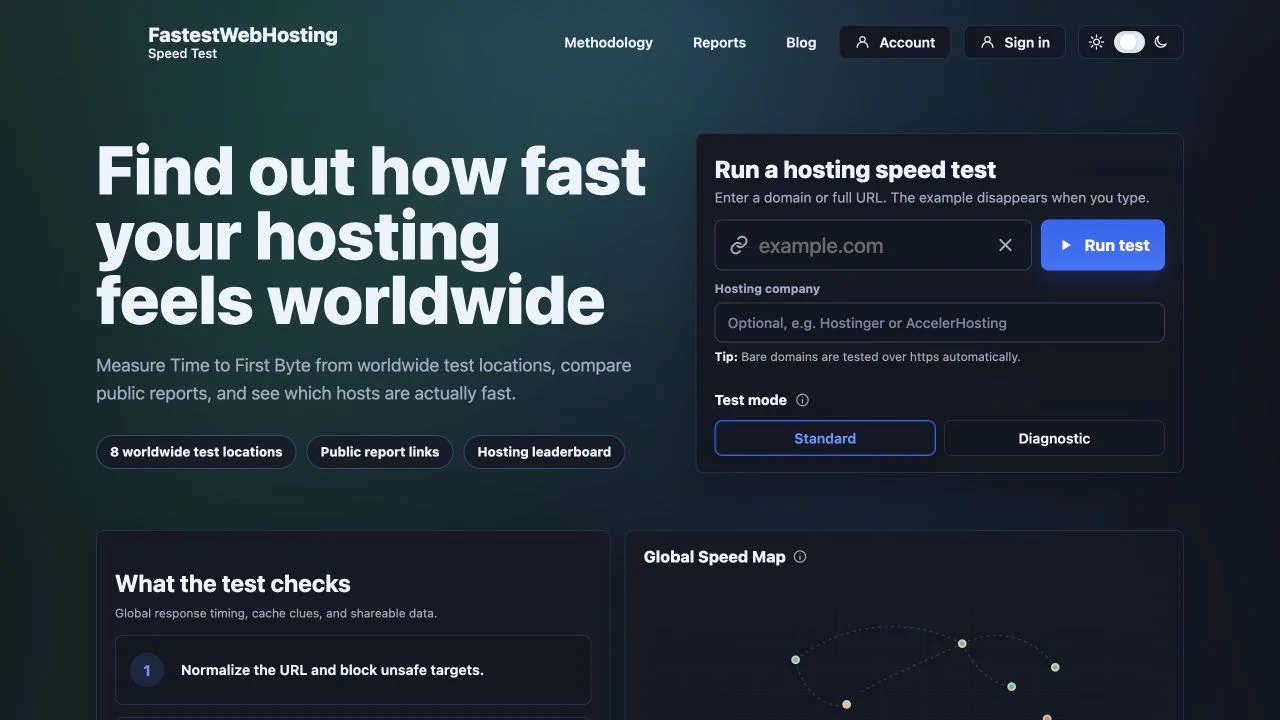
FastestWebHosting Speed Test is a public tool for comparing that early response across eight worldwide test locations. It focuses on Time to First Byte, or TTFB, and presents the results as a shareable report with regional medians, spread, status, and cache clues.
Review note: App9.org reviewed the live test interface and public sample-report view on August 2, 2026. We did not submit a new test that would create another public report. Any leaderboard or report values visible in screenshots are time-sensitive examples, not measurements produced for this article.
What the speed test measures
Google’s web.dev TTFB guide defines Time to First Byte as the time from the start of navigation until the first byte of the response begins to arrive. The interval can include redirects, service-worker startup where relevant, DNS lookup, connection and TLS setup, and the server’s response time.
FastestWebHosting Speed Test measures server response and partial HTML delivery from worldwide test locations. The current interface advertises eight locations and offers both Standard and Diagnostic modes.
The tool’s own methodology is equally clear about what it does not do: it does not run a full browser, execute the page’s JavaScript, calculate Lighthouse scores, or report Core Web Vitals.
| The tool helps measure | The tool does not establish by itself |
|---|---|
| How quickly the tested URL begins responding from multiple locations | How quickly a visitor sees or can interact with the finished page |
| Regional median TTFB and response spread | Largest Contentful Paint, Interaction to Next Paint, or Cumulative Layout Shift |
| Possible cache, compression, edge, and header clues | The quality of the site’s design, JavaScript, images, accessibility, or conversion flow |
| A repeatable, shareable snapshot of a URL | A permanent ranking of an entire hosting company from one page and one test |
How the public workflow is organized
The main screen keeps the first run straightforward:
- Enter a bare domain or a complete URL. Bare domains are normalized to HTTPS.
- Optionally identify the hosting company for report attribution.
- Choose Standard or Diagnostic mode.
- Run the test and open the resulting report.
The surrounding interface also exposes recent public reports and leaderboards. Those views are useful for discovering examples, but the fairest comparison comes from testing equivalent page types under a disclosed method and rechecking them over time.
What appears in a report
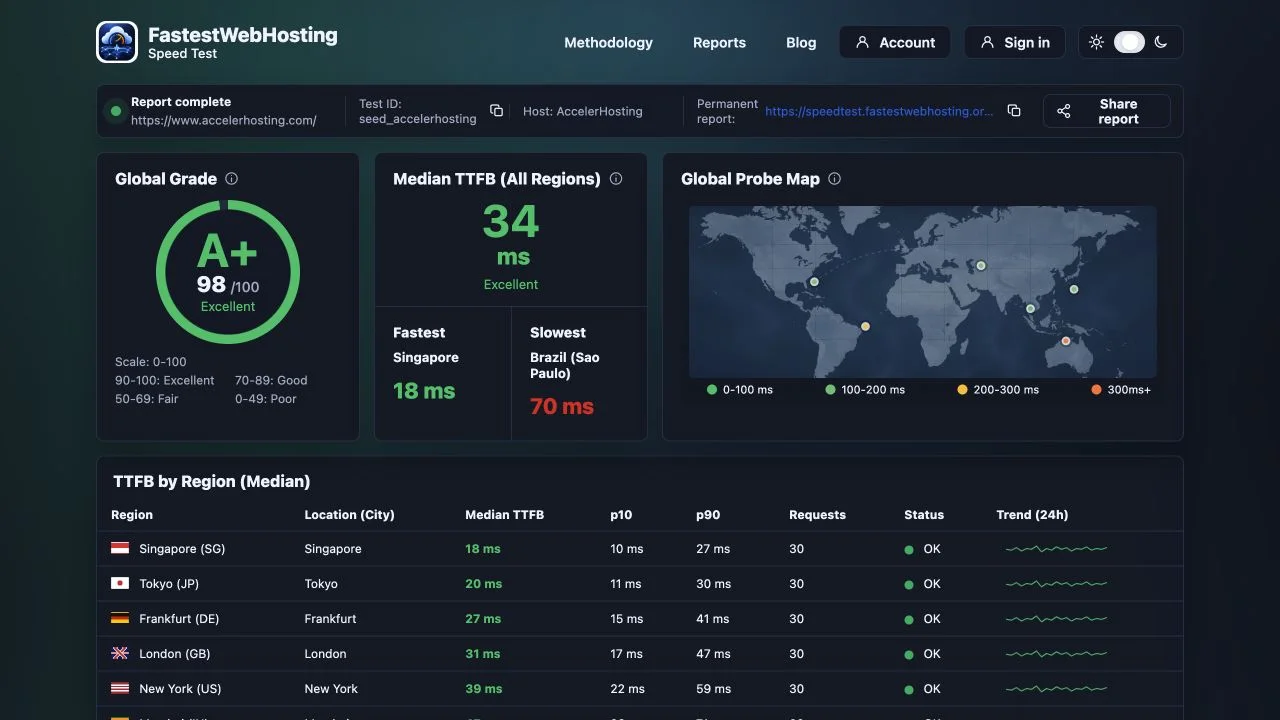
The public report view we inspected included:
- a global grade and score;
- the median TTFB across all completed regions;
- the fastest and slowest observed locations;
- a region table with median, p10, p90, request count, and status;
- a global probe map;
- CDN, cache, compression, edge-location, header, and TLS clues;
- a permanent report link; and
- JSON, CSV, PDF, and clipboard export controls.
The p10 and p90 values are especially useful beside the median. A median tells you the middle observation; the wider spread helps reveal whether the response was consistent or variable during the test. A single low result looks less impressive when the slow end of the distribution is much higher.
Why eight locations are more useful than one
A single test location can favor a nearby origin or edge cache. Checking multiple regions gives you a better view of geographic variation. If nearby regions respond quickly while distant ones lag, the result may point toward network distance, cache coverage, or routing rather than only the application server.
That does not mean every distant result should match the closest one. The practical question is whether the geographic pattern makes sense for the site’s actual audience—and whether the pattern improves after a hosting, caching, DNS, or application change.
How to interpret the result responsibly
Repeat before declaring a winner
Network and cache state change. Run comparable tests more than once, record the time, and avoid turning one snapshot into a universal claim about a host.
Compare like with like
A lightweight homepage and a personalized application page are not equivalent workloads. Use similar page types and disclose the URLs when making comparisons.
Use TTFB as an early diagnostic
A fast first byte creates a better starting point, but it cannot compensate for a page that then downloads oversized images, blocks on scripts, shifts its layout, or ignores accessibility. Pair this tool with a real-browser test such as Lighthouse or PageSpeed Insights when the goal is end-to-end user experience.
Read failures as data, not an automatic grade for the company
A test can fail because of bot protection, DNS, TLS, a redirect loop, rate limiting, or a temporary network problem. Investigate the error before assigning the result to the underlying host.
Who will get the most value from it
The speed test is useful for site owners comparing before-and-after changes, hosting reviewers who need a shareable methodology, developers checking regional response behavior, and operators looking for cache or delivery clues. The public reports and exports make it easier to discuss the same snapshot with a teammate or provider.
It is less useful as a one-click answer to “Which host is best?” Hosting quality also includes availability, support, security, price, resource limits, application compatibility, and full-page performance. TTFB is one important slice of that decision.
Our take
FastestWebHosting Speed Test does a good job of keeping its measurement boundary visible. It measures early server response across multiple locations and exposes the regional data instead of hiding everything behind one grade. Just as importantly, the methodology says that this is not a browser or Core Web Vitals test.
You can open FastestWebHosting Speed Test and inspect the current public interface. Use the results as a repeatable diagnostic, pair them with browser-based performance data, and preserve the report date whenever you share a comparison.
Sources
- FastestWebHosting Speed Test, interface and public methodology reviewed August 2, 2026.
- web.dev: Time to First Byte, last updated November 28, 2025.